Things to know about invoicing:
- Invoices are sent on the 20th of every month.
- They are automatically generated by calculating last month's sales and securely requesting Square to create an invoice.
- Square then emails you at the email address you use to login into your Advertiser account.
- You can always find links to invoices we’ve created for you under the Account Balance page on your account under Accounting.
- If you have an outstanding Invoice, you will have a notification on your account dashboard when you login.
- Once you pay an invoice its status and your balance will be newly reflected upon visiting the Account Balance page on your account.
- Other payments in addition to invoicing also appear on the Account Balance page.
- If you have remaining Escrow, it will automatically be applied to your invoice until depleted.
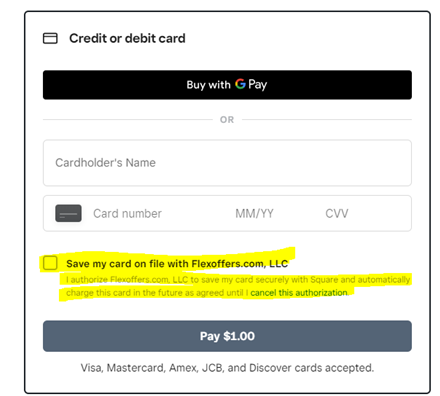
- There are two ways the advertisers can save their CC information through square up for future payments.
1. Once the invoice is sent, they can click on the box to save the card on file (see pic below).
2. We can send a contract via square up to be signed by the account owner. (send request to advertise@flexoffers.com)