
You can verify ownership of your website by adding a TXT record to your domain's DNS settings.
To verify that you own a website, please complete the following steps:
-
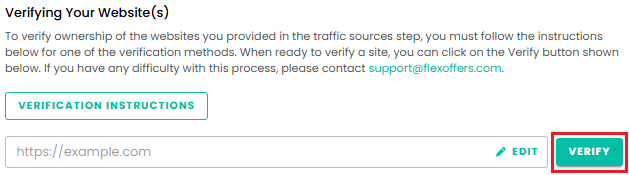
Click the Verify button.
-
Log in to your DNS provider and add a new TXT record using the verification details provided.
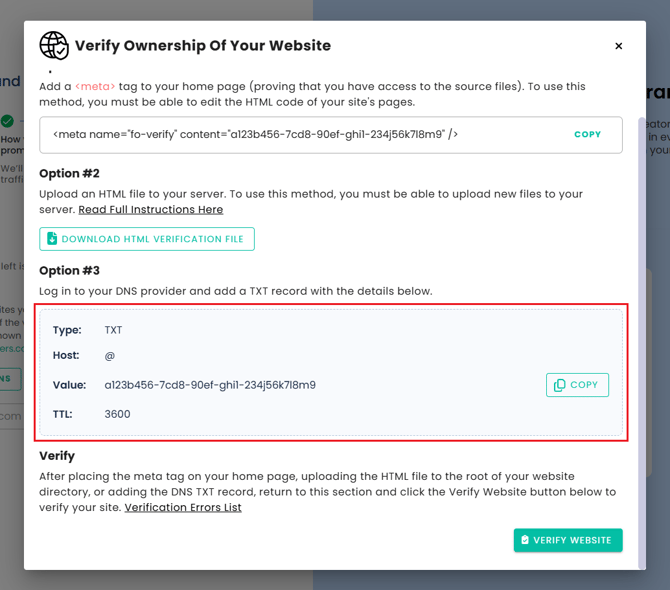
Note: If you are verifying a subdomain, the Host value may need to be entered differently depending on your DNS provider. If you are unsure which format to use, contact your DNS provider to confirm that the TXT record has been added correctly. -
After adding the TXT record, return to the website verification page and click the Verify Website button.
Note: DNS changes may take some time to propagate before verification is successful.